
Now on iPhone, iPad, Apple Watch & Apple TV
The audit happens everywhere.
Engagements, procedure sign-offs, review comments, evidence capture, time, and Chat CPA™ (plus command of AuditFile®'s patented agentic AI) native on iPhone, iPad, and Apple Watch — and the Firm Live wallboard on Apple TV — behind the same login, MFA, and security controls as AuditFile® itself.

- Included with AuditFile®
- Native SwiftUI
- Zero third-party SDKs
- iOS 17+ iPhone & iPad
- watchOS 10+ Apple Watch
- tvOS 17+ Apple TV
- Patented AI U.S. Patent No. 10,891,294
- Same login MFA & SSO unchanged
- OAuth 2.0 + PKCE revocable per device
- visionOS 2+ Apple Vision Pro
For management
Run your practice from your phone.
Now you have the ability to run your audit practice from truly anywhere. Get status reports while you go for a swim. Sign off workpapers at the beach. Manage your team from a train.
Seamlessly leverage AuditFile®'s patented agentic AI (U.S. Patent No. 10,891,294) for drafts, ties out, and flags around the clock. Leave the laptop at home!
Compress review cycle time
Files rarely wait on review effort — they wait on partner availability. Most review notes take minutes to clear once the file reaches you. The app routes the file to the fifteen minutes you actually have: between meetings, at another client, in the airport.
Convert AI capacity into billable output
Agentic AI has no field season and no desk. It drafts, ties out, and flags 24/7 — but unreviewed output is just inventory. Mobile, human-in-the-loop approvals keep the pipeline converting: agent throughput in, signed workpapers out.
Defend realization and documentation
AU-C 230 favors documentation prepared at the time of the work, and WIP favors time captured in the moment. Evidence, notes, and hours logged in the field become inspection-ready files, honest budgets, and fewer Friday write-offs.
The partner bottleneck
Your review queue should move at the speed of your day — not your desk time.
Every day a prepared file sits, the engagement gets more expensive: staff rotate to the next job, context decays, the client cools, issuance slips. The constraint was never partner effort. It was that the file could only be reviewed in one place.
Without the app
- Tue 4:12 PM Senior marks C-3 Bank confirmations prepared
- Wed – Thu File sits — partner is at another client, then traveling
- Fri 5:40 PM Reviewed at the desk; questions go back over the weekend
With the app
- Tue 4:12 PM Senior clears the AI-flagged cutoff exception, marks C-3 prepared — partner's phone pings
- Tue 4:31 PM Partner reviews and signs off between meetings
- Tue 4:33 PM One review note, answered while the work is still fresh
iPhone
Keep every engagement moving from your pocket.
The iPhone's job is latency. Triage what changed, unblock your team — human and AI — and clear the small decisions that otherwise wait days — in minutes, from wherever you are.
- Prepare / review / N-A sign-offs — with the same permission checks and self-review blocking as the platform
- Agentic AI control — kick off agent runs, watch progress, and approve output from your pocket
- Review comments — read, respond, and resolve them where they were raised
- Evidence capture — photograph support on the count floor, straight onto the procedure
- Quick time logging — on the engagement, in the moment it happens
- Notification feed — sign-off requests and comments, not another inbox
iPad
The clipboard that reads the trial balance.
A laptop is a wall across a conference table and useless standing up. The iPad works where audit fieldwork physically happens: inventory observations, walkthroughs, exit conferences, findings reviewed side by side with the client.
- Fieldwork in hand — walk the floor with the audit areas, procedures, and support that matter
- Review like paper — read the file on the sofa, the plane, or across the table, and sign off in place
- Client-facing by design — a screen you can turn around and share, not hide behind
- One app, both devices — the same native app, built for the bigger canvas
Apple Vision Pro Spatial Computing for Audit is here!
Audit in Virtual Reality. Anywhere.
Review is a multi-window job: trial balance here, workpaper there, support, prior year, the comment thread. On a laptop that's endless swapping on a 16-inch screen. On Apple Vision Pro it all opens at once — at any size, wrapped around you — in a hotel room, a client conference room, or your kitchen. Look at what you want, pinch to sign off. The desk stops being a place you have to go.
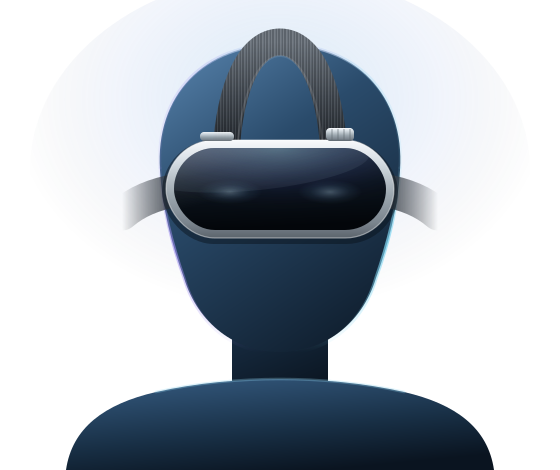
- An infinite canvas The trial balance, the workpaper, the support, and the comment thread — open at once, at any size. Nothing to pack, nothing to plug in.
- Mission control, life-size Watch the agentic AI orchestrator work across a wall of panels, then approve, return, or escalate its output with a look and a pinch.
- Focus you can dial in Turn the room down when a file deserves your full attention — then turn it back up for the client sitting across the table.
- Optic ID, same rules The same login, MFA, SSO, engagement permissions, and self-review blocking as every other AuditFile® surface. New canvas, identical controls.
AuditFile® for Apple Vision Pro is here and included with your AuditFile® subscription, like every other device. Start VR auditing with visionOS →
Apple Watch
Ambient awareness. Zero disruption.
Nobody audits from a wrist, and we didn't pretend otherwise. The Apple Watch does the two things partners actually need: it tells you the moment your team — human or AI — needs you, and it lets you know without looking like you're checking. In the meetings where opening a laptop — or even a phone — changes the room, a glance doesn't.
- Sign-off requests and review comments — surfaced the moment your team needs you
- Engagement pulse — what moved, what stalled, what's waiting on you
- AuditFile AI Agent by voice — dictate a standards question to Chat CPA™, read the answer at a glance
- Triage, don't disappear — approve an agent run or a sign-off from the wrist, or hand it to your iPhone with one tap
Apple TV
The whole firm, live on the big screen.
AuditFile® for Apple TV turns the office screen into a Firm Live wallboard: open engagements, who's online, world clocks, and where the team is working — refreshed continuously, no laptop required.
- Firm Live wallboard — open metrics, online-now count, and a live presence map of the firm
- Always current — refreshes itself every minute while it's on screen
- Made for the room — a dark, glanceable design built for an office TV
- Same sign-in, same rules — the firm's existing login and security controls, nothing new to manage
Agentic AI, in the field
Mission control for the agentic AI orchestrator.
AuditFile® isn't AI-adjacent — the platform's agentic core does real audit work: drafting, tying out, flagging, following up. The app makes you the operator. You control the agentic AI orchestrator from iPhone, iPad, or Apple Watch: launch agent runs, monitor progress in real time, and approve, return, or escalate the output. Human-in-the-loop isn't a compliance slogan here — it's the product architecture, and now the loop fits in your pocket.
Chat CPA™ rides along for the technical question that can't wait — grounded in the professional literature auditors actually work under: AU-C, PCAOB AS, SSARS, SSAE, GAGAS, U.S. GAAP, IFRS, GASB, and FASAB.
Same enterprise AI architecture as the platform: no model training on your data and zero-retention model calls. Read how AuditFile® AI handles client data →
Patented The application of AI to financial statement audits — U.S. Patent No. 10,891,294.
Security
The most secure way to audit!
The riskiest object in most firms is a laptop full of downloaded client files. The app takes the opposite approach: the work stays in the platform, and the device holds a revocable key — not the data.
Your login, unchanged
Sign-in opens AuditFile®'s own web login in a secure sheet — so TOTP and security-key MFA, SAML SSO, and firm IP allowlists all apply exactly as they do on the web.
Tokens, not passwords
OAuth 2.0 with PKCE. Short-lived access tokens, per-device grants your firm can revoke at any time, and granular scopes — including a dedicated sign-off scope.
Face ID on device
Biometric protection in front of the app, on hardware designed for it. A lost phone is a locked door, not a lost audit file.
Secure auditing
Every request is re-checked against firm settings and engagement permissions — the app can't see more than the web can.
Nothing scattered
Evidence lands on the procedure in AuditFile® — not in camera rolls, downloads folders, and email threads waiting to be misplaced.
Same platform controls
TLS-encrypted transport, encryption at rest, rate-limited APIs, and zero third-party SDKs inside the app — nobody else's code rides along with your client data.
Real Innovation
Features Live today!
- Offline fieldwork Read cache and a sign-off queue for basements, warehouses, and airplanes.
- Push notifications Sign-off requests, agent runs, and review comments that find you, instantly.
- Workpaper viewing & annotation The PDF workpaper, with tickmarks, on the iPad.
- Live Office editing The same Word and Excel live-edit the platform already does, from the field.
Put the file — and the AI — where the work is.
AuditFile® for iOS is rolling out to firms now, included with AuditFile®. If your partners spend half their week away from a desk, this is for them.
Requires an AuditFile® account.
Confirm the December cutoff on the sweep account — support shows 1/2.
Resolve